
The Survey Summary report displays a summary of all survey questions, indicating the percentage response for each answer option or the average response.
Begin by selecting a survey on the top of the filter bar.
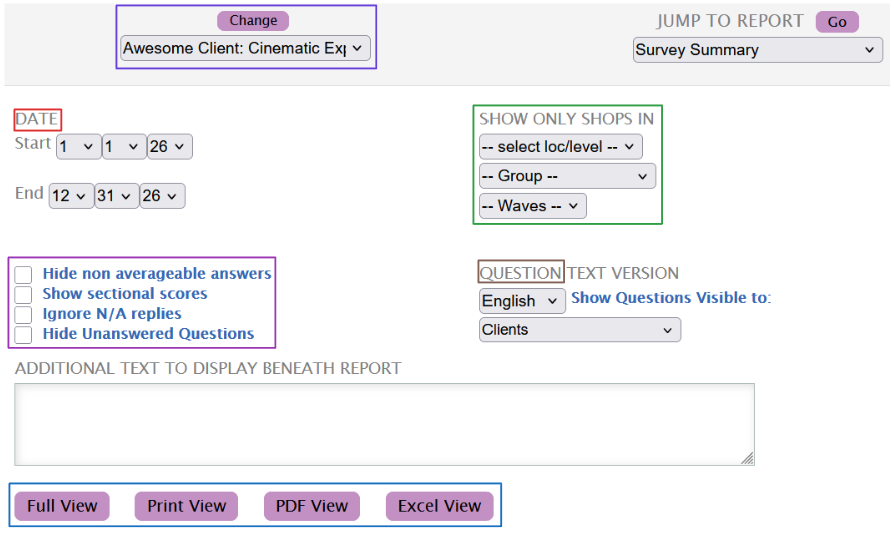
While the Date range selector will be automatically set to the current year, you can edit it to match the range you require.
The Show Only Shops In filter allows you to limit the data being displayed by Levels, Groups and Waves. These filters can be used together or individually to match the generated data to your requirements.
Use the Question options to the visibility of the questions, alongside the language they will be displayed in.
A couple of additional options regarding scoring, and question visibility are also available for further customization of the report.
Once satisfied with the filters, use any of the buttons below the input box to generate the report. You can read more about each here.